

How To Download Cocospy On Target Phone
Cocospy helps yous watch over your kids and protect them from pornography, online predators, cyberbullying, and other threats. You will be able to monitor and shop call logs, messages, social activities and more.
Part Two: How to Rails Android Phones or Tablet?
Simply speaking there are simply 3 steps to follow:
1. Registration and preparation.
2. Install Cocospy on the target Android telephone.
3. View monitored data.
Now let'southward a expect at instructions in detail:
Step i. Registration & Cocospy installation preparation
i. Open your internet browser and blazon https://world wide web.cocospy.com. Then enter your email and countersign to create a Cocospy account. You can also directly sign up below.
two. After registration, it will take you lot to get through a setup procedure. If the target phone is correct at your hand,you may have several minutes to consummate this step including: installing Cocospy and finish some settings on the target device.
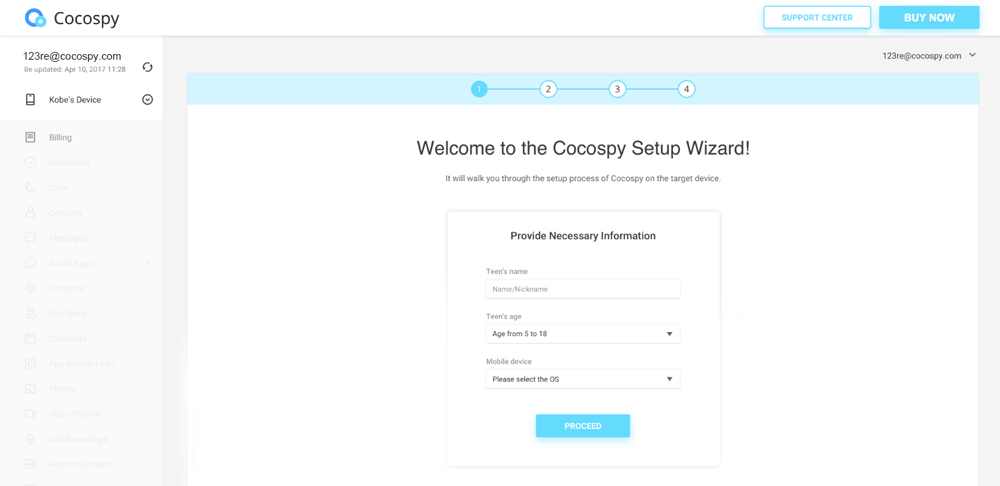
On the beginning page of the Setup Wizard you should put a name in order to place the owner of the monitored telephone. Then, select the operating system running on the target phones or tablets since the setup process of spying Android phone and iPhone is slightly different. Select "Android" in this instance to go on, and complete the following settings on the target device.
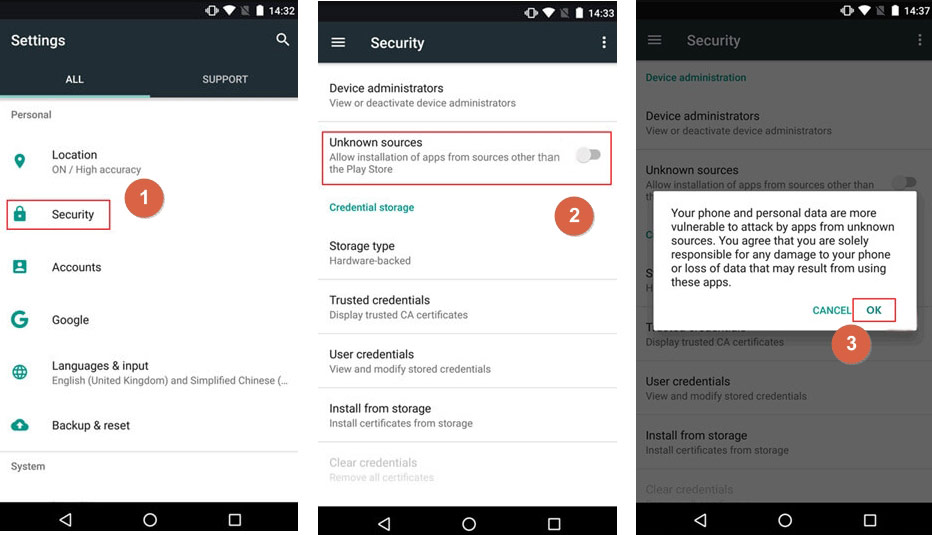
3. Cocospy installation preparation. Go to "Settings" > "Lock screen and security". And so enable "Unknown Sources" and tap on "OK".
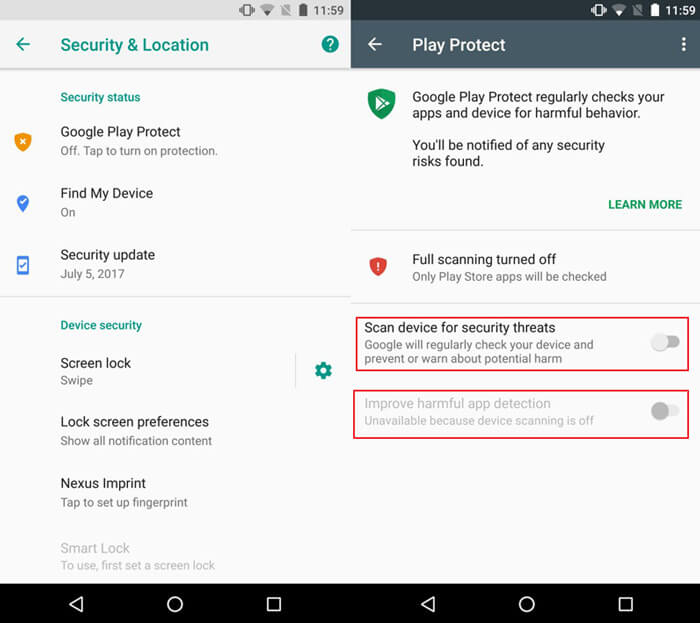
So, get to "Settings" > "Google" > "Security" > "Google Play Protect". Disable "Better harmful app detection" & "Scan device for security threats".
Step 2. Install Cocospy app
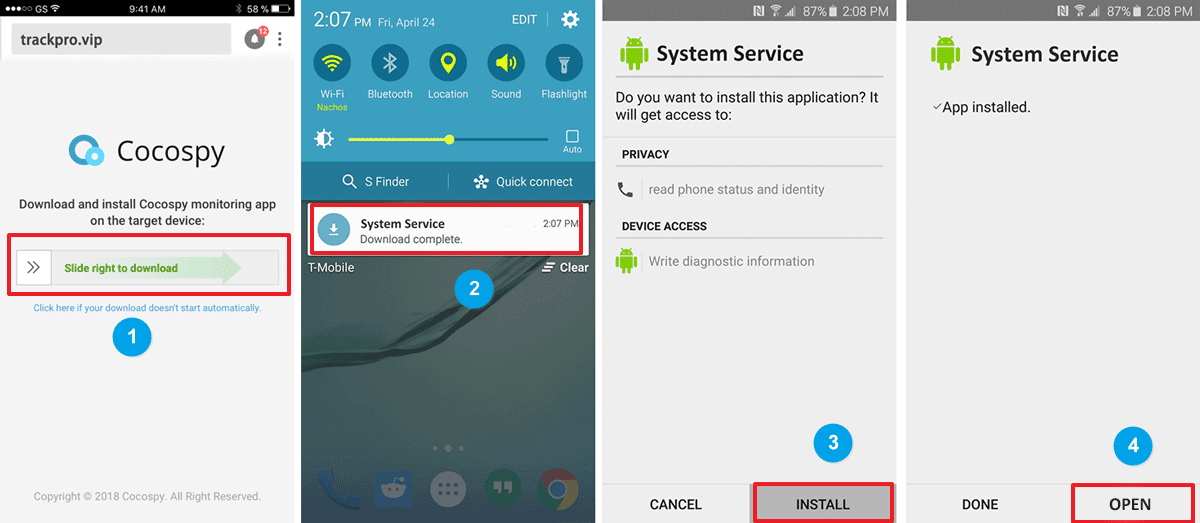
1. Y'all will observe the app download link on the Set-upward Magician page. Accept the target phone at hand and visit the download page. Slide right to download the app. When the downloading is complete, you could find the APK file from the "Notifications" pop-up window or in the "downloads" folder. So tap on "INSTALL" and "OPEN" to kickoff the app.
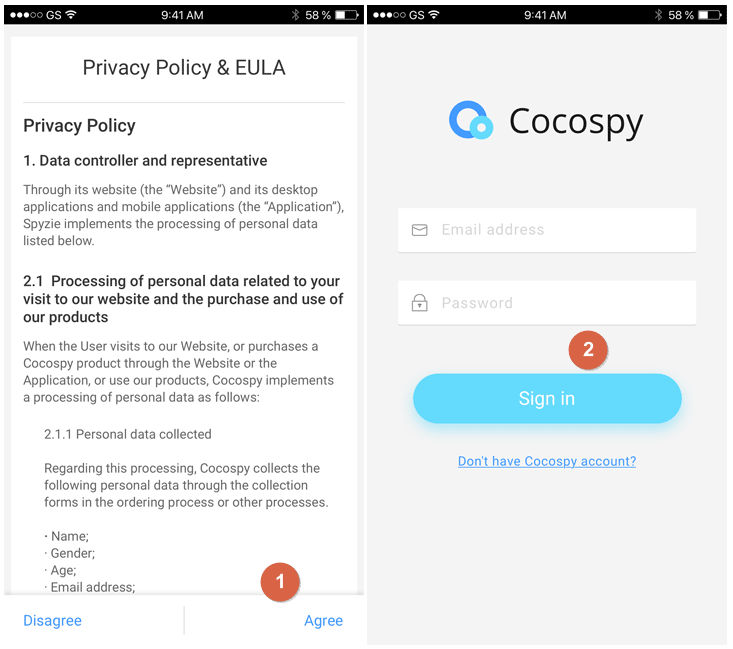
2. After opening the app, delight firstly read and agree the Privacy Policy & EULA. Then sign in with your email and password.
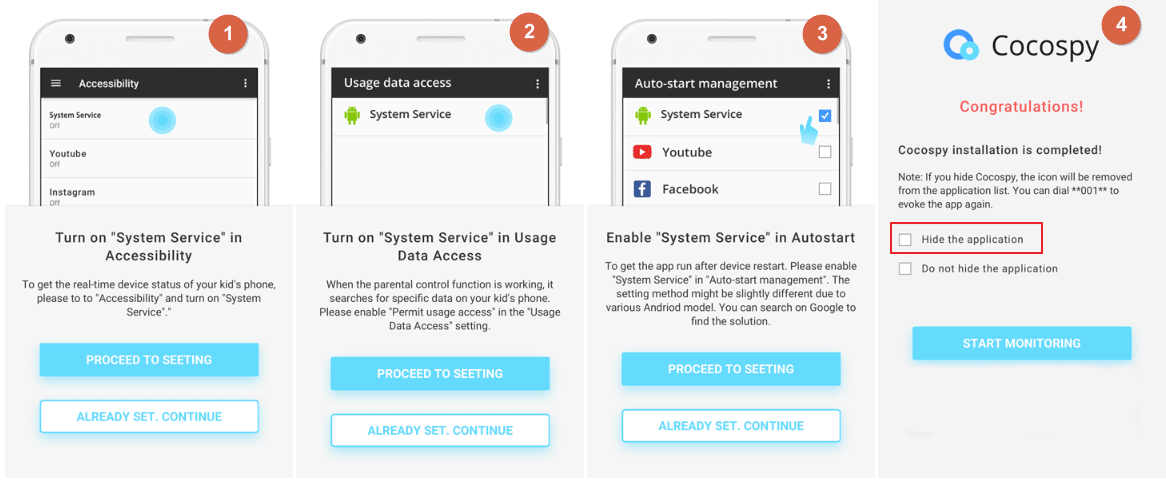
3. Later on that, merely follow the wizard to end the settings on the target phone. Please note that all permission requests must be allowed. After finishing the settings, y'all can choose to hibernate the appliaction. And then Cocospy icon will be removed from the application list. It volition piece of work in stealth way. Y'all tin dial **001** to evoke the app.
Stride three. Tracking Android data on control panel
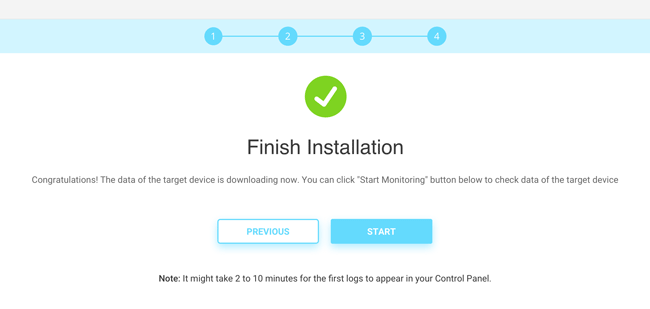
When you end the installation and settings, y'all can turn back to your ain telephone or computer and consummate the setup process. The wizard page volition exist redirected to control console dashboard.
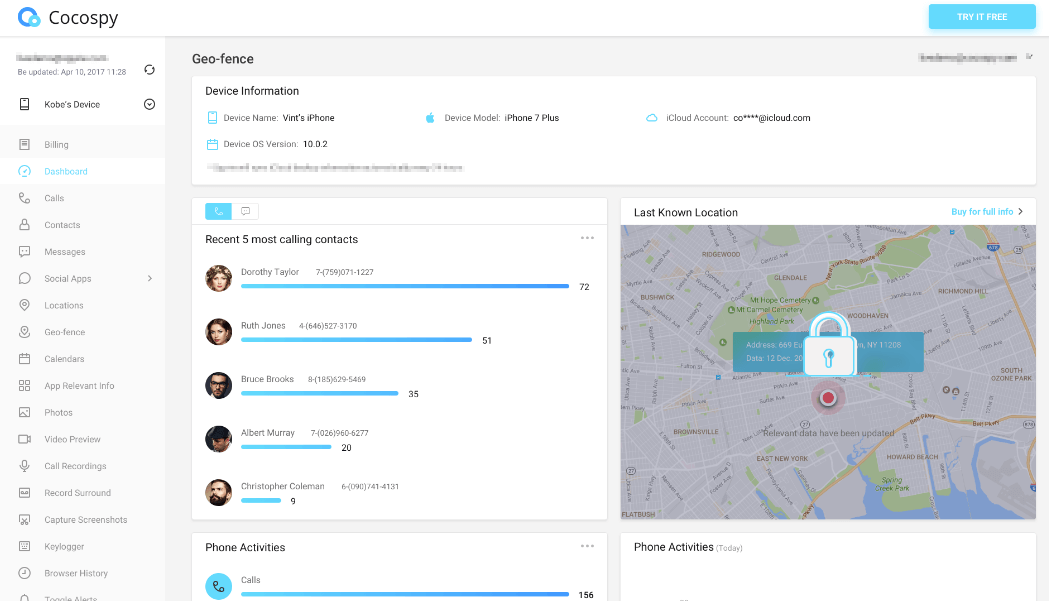
When you lot access the control panel for the first time, it usually takes several seconds or minutes to sync all data from the monitored device. There is a function menu on the top left listing all supported features. You may click the refresh icon on the dashboard to sync the latest data, but if the monitored android phone is powered off or not connected to the internet, the Cocospy server will non be able to push any new data to your Control Panel.

How To Download Cocospy On Target Phone,
Source: https://www.cocospy.com/android-installation-guide.html
Posted by: newellbougereb.blogspot.com
0 Response to "How To Download Cocospy On Target Phone"
Post a Comment